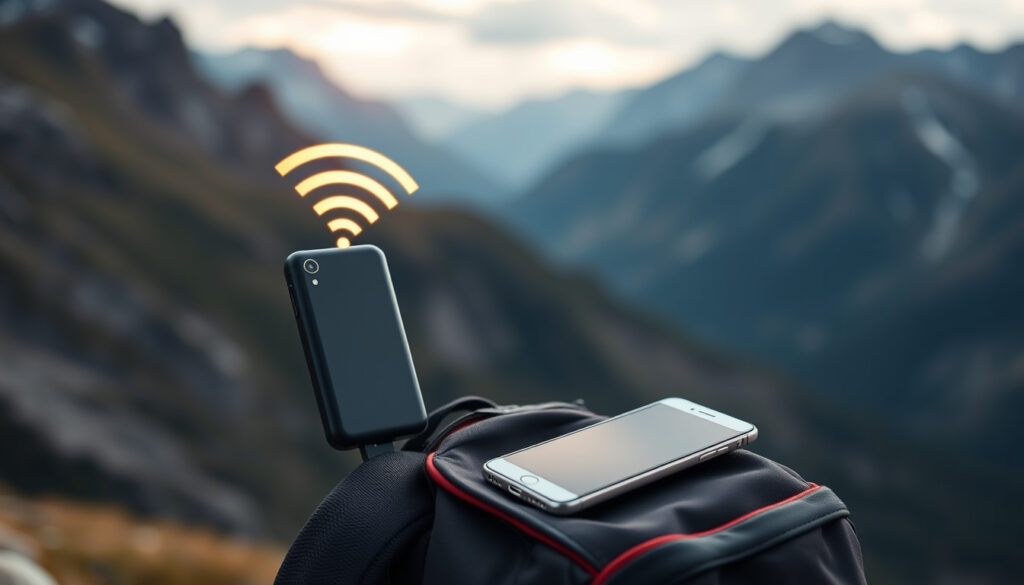
What Is a Mobile Hotspot? How It Works & Uses Explained
There are days when the coffee-shop Wi-Fi dies right before a deadline, or your hotel’s connection buckles under a full house. That’s where a mobile hotspot earns its keep — a small device that pulls cellular data from your provider and broadcasts it as a private Wi-Fi signal you can actually trust. This guide explains how hotspots work, where they make sense, and what to watch out for before you sign up for a plan.
Connection method: Cellular data via Wi-Fi · Typical use case: Share internet with laptops, tablets · Providers mentioned: NETGEAR, Verizon · Data source: Phone plan or dedicated device
Quick snapshot
- Hotspots use cellular data (HighSpeedInternet.com)
- NETGEAR M6 supports WiFi 6 up to 2.5Gbps, connects 32 devices (NETGEAR Blog)
- Unlocked hotspots work with Verizon, AT&T, T-Mobile (NETGEAR Blog)
- Exact data limits vary by carrier and change with plan updates (SatelliteInternet.com)
- 2026 pricing for current Verizon hotspot plans not publicly confirmed (Verizon Support)
- 2015–2016: Verizon Jetpack AC791L launches as 4G LTE hotspot (Cookies and Clogs)
- 2021–2022: 5G hotspots including NETGEAR Nighthawk M6 series arrive (NETGEAR Blog)
- 2023: NETGEAR promotes M6/M6 Pro with WiFi 6, multi-carrier unlock (Netgear Compare)
- 5G expansion continues improving rural coverage and speeds (Verizon Guide)
- Dedicated hotspot adoption likely grows as remote work and travel normalize (RVMobileInternet)
The table below summarizes the key technical specifications and pricing for popular mobile hotspot devices based on manufacturer data and carrier documentation.
| Attribute | Detail |
|---|---|
| Primary function | Share mobile data via Wi-Fi |
| Common providers | NETGEAR, Verizon |
| Supported devices | Laptops, tablets, phones |
| Max devices (NETGEAR M6) | 32 devices |
| Top Wi-Fi speed (M6) | 2.5Gbps via WiFi 6 |
| Battery life (M6) | 13 hours |
| Battery life (Verizon Jetpack AC791L) | 24 hours |
| 5G max speeds | 1000Mbps+ |
| Global compatibility | 125 countries (select NETGEAR models) |
| Verizon 40GB data | $150 per month |
What is a mobile hotspot and how does it work?
A mobile hotspot is a wireless access point that captures cellular data from a provider and broadcasts it as a private Wi-Fi signal. Devices like laptops, tablets, and phones connect to that signal just as they would a home router — the key difference being that the internet source is cellular, not a fixed broadband line.
Two main forms exist: a smartphone feature called tethering, and a dedicated device such as the NETGEAR Nighthawk M6. Smartphones can share their cellular connection over Wi-Fi, Bluetooth, or USB, which works fine in a pinch but drains the phone battery quickly. Dedicated hotspots are built for heavier use — they have stronger antennas, longer battery life, and can connect more devices simultaneously.
Dedicated device vs phone feature
NETGEAR states that dedicated hotspots offer better speed, security, and battery life than phone tethering. The manufacturer reports that its Nighthawk M6 supports WiFi 6 with up to 2.5Gbps speed and connects up to 32 devices at once. That’s a meaningful gap for anyone who needs reliable internet for more than one device.
- NETGEAR Nighthawk M6: WiFi 6, 2.5Gbps, 32 devices, 13-hour battery
- NETGEAR Nighthawk LTE: 20 devices, antenna ports for signal boost
- NETGEAR Nighthawk M6 Pro: In-Home Performance Mode, 2,000 sq. ft. coverage
Basic setup process
Using a mobile hotspot involves three steps:
- Turn on the feature on your phone or device
- Set a network name and password
- Connect your other devices
With dedicated hardware like the NETGEAR M6, you insert a carrier SIM card, power it on, configure the settings through a web portal or app, and you’re ready to go.
The implication: dedicated hardware requires upfront setup effort but pays dividends in reliability for regular users.
Phone tethering works in a crisis, but dedicated hotspots consistently outperform in speed, simultaneous device support, and battery longevity. If you regularly connect more than two devices, the difference is noticeable.
Why would someone use a mobile hotspot?
People turn to mobile hotspots for three common reasons: accessing internet without fixed broadband, staying connected while traveling, and having a reliable backup when their primary connection fails.
For remote workers and digital nomads, a hotspot can mean the difference between a productive workday and a frustrated one. Hotspots work well in vehicles, hotel rooms, and remote job sites where traditional broadband isn’t available. Travelers use them to avoid unreliable hotel Wi-Fi or public networks with questionable security.
Travel and remote work
Mobile hotspots transform cellular signal into Wi-Fi for portability, making them useful wherever a cellular signal reaches. Business travelers, RVers, and anyone working outside a fixed office can connect laptops, tablets, and phones to a single reliable source.
- Connect laptops, tablets, phones simultaneously
- Work from vehicles, hotels, or remote sites
- Access internet without fixed broadband infrastructure
What this means: travelers and remote workers gain freedom from venue-provided networks that may be slow, insecure, or paywalled.
Backup internet
When a home broadband connection goes down, a mobile hotspot provides continuity. According to Verizon, its MiFi and Jetpack devices connect multiple devices simultaneously, making them practical backup solutions for households that depend on constant connectivity.
What this means: a hotspot backup plan prevents work interruptions when residential service fails unexpectedly.
Data usage on a hotspot is billed against your cellular plan, not a separate home internet quota. If you’re substituting a hotspot for home internet, monitor your usage closely — plans like Verizon’s 40GB at $150 can fill up fast with video calls and large file transfers.
What is the difference between Wi-Fi and hotspot?
Wi-Fi and mobile hotspot are not interchangeable terms, though they both create wireless networks. A standard Wi-Fi network connects devices to a fixed broadband source — a cable or DSL modem — and shares that single internet connection. A mobile hotspot, by contrast, generates its own network by pulling cellular data and broadcasting it as a wireless signal.
The practical difference matters most when you consider infrastructure. Wi-Fi depends on cables running to a building; a hotspot works anywhere cellular coverage exists. This distinction shapes where each technology excels.
Wi-Fi networks
Wi-Fi networks connect devices to a router that receives internet from a fixed broadband provider. The router broadcasts that connection wirelessly, and all connected devices share the same source. This works well in homes and offices with reliable wired internet.
- Requires fixed broadband infrastructure
- Shares a single internet connection among multiple devices
- Performance depends on the broadband plan’s speed
The pattern: Wi-Fi excels where infrastructure is already in place but becomes unavailable during outages or travel.
Hotspot specifics
A mobile hotspot uses cellular data as its internet source and creates an independent network. According to NETGEAR, hotspots can operate in multiple modes: Access Point, Router, Repeater, Bridge, and Client. They support Ethernet and USB ports for wired connections and can charge other devices via USB.
What this means: hotspots trade the stability of fixed broadband for mobility that adapts to wherever you are.
NETGEAR positions its dedicated hotspots as providing stronger signals, higher data throughput, and longer battery life compared to phone tethering — claiming up to 10x the speed. For anyone who needs reliable connectivity across multiple devices, the dedicated device makes a concrete difference in daily use.
What are the downsides of using a hotspot?
Hotspots solve one problem — internet access without fixed infrastructure — but introduce others. Data limits, cost, coverage gaps, and battery life all factor into whether a hotspot is the right choice for your situation.
The most common complaint is that cellular data plans are more expensive than equivalent fixed broadband, especially for high-usage households. Rural areas also tend to have weaker cellular coverage, which can make hotspots less reliable in those locations.
Data limits and speed
Using a hotspot means all connected devices draw from the same cellular data pool. Video calls, streaming, and large downloads add up quickly. Verizon charges $150 for 40GB, which may not cover heavy use. International travelers should note that roaming outside the US can be significantly more expensive.
- Data usage charged per plan — no unlimited home-broadband equivalent
- Verizon 40GB plan costs $150/month
- Rural coverage less reliable than urban areas
- 5G offers faster speeds but requires 5G coverage
The catch: heavy internet users will burn through data allowances quickly, making hotspots expensive as a primary connection.
Battery drain
Battery life varies by device: the NETGEAR M6 delivers 13 hours, while the Verizon Jetpack AC791L is rated for up to 24 hours. Extended use with multiple devices drains batteries faster, and there’s no outlet to plug into on a long flight or road trip.
Upsides
- Portable — works anywhere cellular coverage exists
- Battery life up to 24 hours on select models
- Connects multiple devices (up to 32 on NETGEAR M6)
- More secure than public Wi-Fi
- Global compatibility in 125 countries (select models)
Downsides
- Data limits and higher costs vs fixed broadband
- Rural coverage gaps
- Battery life varies and can be insufficient for all-day use
- International roaming expenses
- Requires cellular signal — useless in dead zones
Is a Mobile Hotspot Safe?
Mobile hotspots are generally safe when properly configured, but security depends on how you set them up. The devices themselves have built-in protections, and dedicated hotspots often include encryption and firewall features that public Wi-Fi networks lack.
Verizon states that its hotspot devices share network connections via Wi-Fi and charge per data plan usage. The security burden falls partly on the user: a strong, unique password and avoiding over-sharing of credentials are basic steps anyone can take.
Security features
NETGEAR highlights secure encryption and firewall capabilities as advantages of dedicated hotspots over public Wi-Fi. The company’s dedicated hotspots provide stronger protections than most public networks, which are common targets for man-in-the-middle attacks and other exploits.
- Dedicated hotspots include encryption and firewall
- Strong password required for secure operation
- Carrier-level protections on Verizon and similar networks
The implication: choosing a dedicated hotspot over public Wi-Fi shifts security control to you rather than an unknown venue operator.
Best practices
Set a strong, unique password when first configuring your hotspot. Avoid using default network names and passwords. Consider using a VPN on connected devices for an extra layer of security, especially when accessing sensitive work systems.
Public Wi-Fi networks are inherently less secure — anyone on the same network can potentially intercept traffic. A mobile hotspot creates a private network that’s yours alone, which makes it safer by design. But that safety evaporates if you broadcast an open network or share your password freely.
5G Mobile Hotspots are the superior choice to tethering for speed, security and reliability.
— NETGEAR (Manufacturer)
Portable routers like the M6 deliver stronger signals, higher data throughput, longer battery life than phone tethering.
— NETGEAR (Manufacturer)
Our MiFi and Jetpack devices connect multiple devices simultaneously wherever you need internet on the go.
— Verizon (Carrier Support)
For remote workers and frequent travelers, a dedicated hotspot is worth the investment if connectivity is non-negotiable. A $10/month add-on or a standalone plan at around $50 can cover basic needs, while heavy users will want to weigh plan costs against the convenience. Travelers should confirm their carrier’s international coverage before leaving — roaming charges add up quickly.
The choice comes down to usage patterns. If you regularly connect multiple devices to the internet away from home or the office, a dedicated hotspot like the NETGEAR M6 offers stronger signal, more simultaneous connections, and longer battery life than phone tethering. If you only occasionally need internet on the go, a phone’s hotspot feature probably covers it.
Related reading: what is a phishing scam · words with friends cheat
Frequently asked questions
Can a mobile hotspot replace home internet?
A hotspot can substitute for home internet in some cases, but the cost and data limits make it a poor fit for heavy households. Fixed broadband offers higher data caps or unlimited plans at lower prices per gigabyte. Hotspots work best as a backup or for light, occasional use.
Is it okay to use your phone as a hotspot?
Yes, phone tethering is fine for occasional use, but it drains your phone battery and shares your phone’s data plan. Dedicated hotspots handle more devices, deliver better speeds, and won’t leave you with a dead phone at a critical moment.
How much does a hotspot cost per month?
Costs vary by carrier and plan. Verizon offers hotspot data as a $10/month add-on to existing phone plans or standalone plans like 5GB for $50, though high-data plans like 40GB at $150 cost more than comparable fixed broadband.
What is a mobile hotspot on iPhone?
On an iPhone, the Personal Hotspot feature lets you share your cellular connection with other devices. Go to Settings > Personal Hotspot, turn it on, and configure the Wi-Fi password. Other devices can then find and connect to your iPhone’s network.
How does hotspot work on Android?
Android phones include a similar hotspot feature. Navigate to Settings > Network & Internet > Hotspot & Tethering, enable Wi-Fi hotspot, and set a network name and password. The process varies slightly by phone manufacturer but follows the same basic steps.
What is a mobile hotspot T-Mobile?
T-Mobile offers mobile hotspot devices and plans for its customers. The carrier provides 5G hotspot options that work alongside its phone plans. T-Mobile hotspots are compatible with select unlocked devices, including NETGEAR models that work across Verizon, AT&T, and T-Mobile.
What is a mobile hotspot password?
A mobile hotspot password is the security key devices need to connect to your hotspot network. When you set up a hotspot, you create a network name (SSID) and a password. Share the password only with people you trust, and change it periodically to maintain security.
Meer gerelateerde berichten
 Trump Truth Social Posts Today: Latest Verified Updates
 Howard Lutnick: Net Worth, 9/11 Survival, Commerce Secretary
 Jacinda Ardern: Biography, Resignation and Current Life
 Jordan Binnington: Stats, Contract & Is He a Good Goalie
 Blue Jays 2026 Schedule: Full, Printable, Home & TV Listings
 Steve Harrington: Complete Character Guide, Age, Relationships & More
 Shin Se-Kyung – From Child Star to Leading Actress
 Rick and Morty Season 3 Episode 2: Rickmancing the Stone Guide