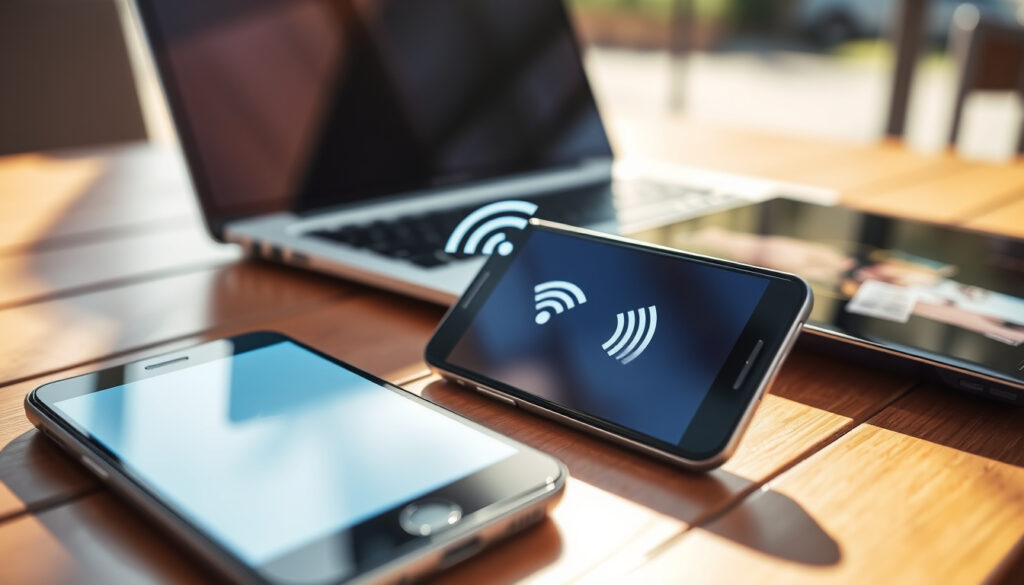
What Is a Mobile Hotspot? Definition, Uses & How It Works
You’ve probably tethered your phone at some point without thinking twice about it. Maybe you needed Wi-Fi for a laptop during a flight, or a device in the middle of nowhere that needed internet. What you were using was a mobile hotspot — and once you understand how they work, the difference between a quick fix and the right tool becomes obvious. This guide breaks down what a mobile hotspot actually is, what it costs, and whether it makes sense as a replacement for your home internet.
Primary use: Share cellular data as Wi-Fi ·
Common providers: Verizon, T-Mobile ·
Data source: 4G LTE or 5G ·
Device types: Phone feature or dedicated hotspot ·
Key concern: Data costs and speed limits
Quick snapshot
- Hotspots share cellular data as Wi-Fi (Verizon consumer guide)
- Smartphones can create hotspots via tethering (NETGEAR technical hub)
- 5G hotspots offer faster speeds and lower latency than 4G (Verizon consumer guide)
- Exact speed variability by carrier and location
- Long-term reliability data for full home replacement
- 5G hotspots (Nighthawk, MiFi M2000) emerged in the 2020s (Really.com analysis)
- MVNO plans offering 50GB hotspot data appeared by 2026 (Really.com analysis)
- Cloud SIM tech enabling carrier auto-selection for international travel
- Dedicated hotspots increasingly common among RVers and remote workers
The table below summarizes the key specifications and costs for mobile hotspots.
| Attribute | Details |
|---|---|
| Definition | Device sharing cellular data as Wi-Fi |
| Data source | SIM card cellular (4G/5G) |
| Max simultaneous devices | Typically 5-10 (up to 16 on some models) |
| Battery impact | High drain on phones; dedicated devices preserve phone power |
| Typical speeds | 30-60 Mbps maximum |
| Dedicated hotspot cost | $100-$600 upfront plus $10-$200/month data plans |
What is a mobile hotspot and how does it work?
A mobile hotspot is a portable device or smartphone feature that creates a Wi-Fi network by converting cellular data from a 4G or 5G connection into a wireless signal your other devices can use. According to Frontier Internet’s technical overview, hotspots connect to cellular networks, receive the signal, and rebroadcast it locally with an SSID and password for secure access.
What is a mobile hotspot device?
Dedicated mobile hotspots are standalone hardware units designed specifically for this purpose. Models like the NETGEAR Nighthawk M6 and Inseego MiFi M2000 5G feature optimized antennas, longer battery life, and sometimes Ethernet ports that phone hotspots lack. These devices operate in multiple modes — including access point, router, and repeater — providing flexible connectivity options.
What is a mobile hotspot used for?
- Travel internet when away from fixed broadband
- Backup Wi-Fi during outages
- Remote work from locations without available networks
- Connecting multiple laptops and devices via cellular (AT&T Business knowledge center)
How does hotspot work on Android?
Android devices share their cellular connection through a straightforward toggle. Navigate to Settings > Network & Internet > Mobile Hotspot to enable sharing. Verizon’s consumer guide notes that the feature taps directly into your cellular data plan without requiring separate hardware, though speeds typically lag behind dedicated hotspot devices.
Phone hotspots drain battery significantly during extended use. Dedicated devices preserve your phone’s charge by handling the cellular-to-Wi-Fi conversion independently.
What is the difference between Wi-Fi and hotspot?
The distinction comes down to infrastructure and dependency. Home Wi-Fi relies on a fixed broadband connection — typically cable, fiber, or DSL — routed through a local router that broadcasts the signal throughout your space. A mobile hotspot, by contrast, depends entirely on a cellular network, which means coverage follows you but remains subject to signal strength in your area.
Home internet averages $65/month with speeds in the hundreds of Mbps and unlimited data, while mobile hotspots top out at 30-60 Mbps with data caps that trigger throttling once exceeded. The gap in performance and capacity is substantial for heavy users.
Wi-Fi vs cellular hotspot speeds
Fixed broadband consistently outperforms cellular hotspots for bandwidth-intensive activities. Computers4People’s comparison observes that home internet excels in speed, capacity, and reliability, while hotspots excel in portability and affordability for light use. The practical difference becomes apparent when streaming video, gaming, or supporting multiple users simultaneously — scenarios where data caps and speed throttling create real constraints.
Coverage differences
Home Wi-Fi reaches everywhere within your router’s signal range, offering consistent coverage within a dwelling. Mobile hotspot coverage depends on cellular tower proximity and network congestion — the same factors that affect smartphone signal. Rural areas with weak cellular coverage will see hotspots perform poorly, whereas home broadband maintains its service regardless of mobile network conditions.
What is a mobile hotspot and how do I use it?
Using a mobile hotspot involves two primary approaches: enabling the feature on your smartphone or purchasing dedicated hardware with its own data plan. Both methods accomplish the same goal — broadcasting Wi-Fi from cellular data — but differ significantly in cost, performance, and convenience.
How to connect mobile hotspot to another mobile
On an iPhone, navigate to Settings > Cellular > Personal Hotspot and toggle it on, then share the password that appears with devices you want to connect. Verizon’s consumer guide documents this straightforward process. Android users access the feature through Settings > Network & Internet > Mobile Hotspot. Once enabled, other devices detect the hotspot just like any other Wi-Fi network and connect using the provided password.
What is a mobile hotspot on iPhone
On iOS devices, the feature is labeled “Personal Hotspot” and allows the phone to share its cellular connection with nearby devices. The functionality is built into the operating system — no additional apps or hardware required. Your phone essentially becomes a miniature cellular router, converting the cellular signal into a standard Wi-Fi broadcast.
Is a mobile hotspot safe?
Security concerns exist with any wireless network, and mobile hotspots present specific considerations worth understanding before relying on them for sensitive tasks.
Security risks of hotspots
Open hotspots — whether public or improperly configured — can expose connected devices to interception. Optimum’s technical guide notes that modern hotspots use WPA2 or WPA3 encryption by default, which provides reasonable protection for most users. However, the portable nature of hotspots means they may connect to unfamiliar networks or be used in public spaces where network security practices are unknown.
Best practices include using strong, unique passwords for your hotspot, avoiding financial transactions over open networks, and ensuring your connected devices have updated security software. For business use, consider hotspots with built-in VPN support or add VPN protection to your devices regardless of the network type.
Unlimited phone plans frequently separate hotspot data from regular cellular usage, meaning your “unlimited” plan may offer only 10-15GB for hotspot sharing while the rest of your data cannot be shared via Wi-Fi. Always review your specific plan details.
What are the downsides of using a hotspot?
Mobile hotspots trade reliability and capacity for portability. Understanding these limitations prevents unpleasant surprises when you need connectivity most.
Can using a mobile hotspot replace home internet?
For occasional use or light browsing, a mobile hotspot can substitute for home internet without major inconvenience. However, Really.com’s analysis is straightforward: hotspots are unsuitable for heavy home use due to data limits and speed throttling after high-speed allotments. Streaming, gaming, video calls, and large downloads quickly exhaust hotspot data caps. The highest chance of success replacing home internet comes for people who don’t use much internet at home or are away a substantial amount of time.
Is it okay to use your phone as a hotspot?
Using your phone as a hotspot works in a pinch but carries trade-offs. The feature requires no additional cost if included in your plan, making it the cheapest option, but continuous hotspot use significantly drains battery and generates heat. Your phone becomes unavailable for normal use while acting as a hotspot, and TravlFi’s comparison notes that phone hotspots typically deliver slower speeds than dedicated devices.
Here’s how the two options compare across key factors. Als je meer wilt weten over mobiele hotspots en hoe ze werken, kun je hier meer lezen: Accès et gestion de votre compte Free Mobile.
| Factor | Phone Hotspot | Dedicated Hotspot |
|---|---|---|
| Device cost | $0 (built into phone) | $100-$600 |
| Monthly add-on | $10 minimum | $10-$200 data plans |
| Speeds | Often slower | Faster and more stable |
| Battery impact | High drain on phone | Preserves phone power |
| Device connections | Limited | More simultaneous connections |
| Best for | Occasional use, emergencies | Regular use, travel, remote work |
Performance specifications vary by network technology and device capabilities.
| Specification | Typical Value |
|---|---|
| Download speeds (4G) | 5-30 Mbps |
| Download speeds (5G) | 50-500+ Mbps depending on network |
| Battery life (dedicated) | 8-24 hours active use |
| Simultaneous device support | 5-16 devices |
| Data caps (typical) | 10GB-100GB on metered plans |
| High-speed data (MVNO example) | 50GB for $90/month |
| Latency (5G) | 10-30ms comparable to broadband |
| Encryption | WPA2/WPA3 standard |
Upsides
- Works anywhere with cellular coverage
- No installation or technician appointment required
- Ideal for RVers, travelers, and remote workers
- Phone hotspots cost nothing extra if plan includes it
- Dedicated devices offer faster speeds and better antennas
- Cloud SIM technology auto-selects carriers internationally
Downsides
- Data caps and throttling after allotment exceeded
- Significantly more expensive per GB than home broadband
- Phone hotspot drains battery rapidly
- Speed limited to 30-60 Mbps versus hundreds of Mbps on home Wi-Fi
- Performance varies with cellular signal strength
- Multiple simultaneous users slow speeds like any shared network
How to set up a mobile hotspot
Getting started with a mobile hotspot involves choosing between two paths based on your usage patterns and budget. Phone-based hotspots require no additional equipment, while dedicated devices need separate purchase and cellular service.
Setting up a phone hotspot (iOS)
- Open Settings and tap Cellular
- Tap Personal Hotspot
- Toggle Allow Others to Join
- Note the Wi-Fi password or create a new one
- Connect other devices using the password
Setting up a phone hotspot (Android)
- Open Settings and navigate to Network & Internet
- Select Mobile Hotspot or Tethering
- Toggle Mobile Hotspot to on
- Configure network name and password if needed
- Connect devices to the newly broadcast network
Setting up a dedicated hotspot device
- Purchase a device and compatible data plan
- Insert the SIM card following included instructions
- Power on the device and wait for cellular connection
- Connect via Wi-Fi using the default network credentials
- Access the device dashboard to customize settings and password
Mobile hotspots excel at affordability, portability, and quick setup. Home internet excels at speed, capacity, and reliability for stationary use.
— Computers4People
The highest chance of success [replacing home internet] is for people who don’t use much internet at home or are away from home a substantial amount of time.
— Really.com
5G networks can offer significantly faster speeds and lower latency compared to 3G and 4G LTE.
— Verizon Consumer Guide
The implication is clear: mobile hotspots solve specific connectivity problems — travel internet, backup during outages, remote work locations — but the economics and performance don’t favor them as full home internet replacements for most households. Data costs per gigabyte run substantially higher than fixed broadband, speed caps throttle bandwidth-heavy activities, and data limits create anxiety around normal usage patterns.
Related reading: What Is a Phishing Scam – Definition, Examples & Prevention Guide
When relying on a mobile hotspot for internet access, enhancing privacy through Hotspot Shield VPNHotspot Shield VPN helps shield data from public network risks.
Frequently asked questions
Does a hotspot cost money or is it free?
Phone hotspots are typically free to enable if your cellular plan includes the feature, though plans often charge $10/month for the add-on. Dedicated hotspots require purchasing hardware ($100-$600) plus a separate data plan ($10-$200/month). Neither option is truly free once you factor in the cellular service costs.
How much does a hotspot cost per month?
Monthly costs range from $10 for basic phone hotspot add-ons to $200 for premium unlimited data plans on dedicated devices. MVNO plans may offer 50GB of high-speed data for around $90/month as a mid-range option. The total cost depends heavily on your data needs and whether you already have a suitable cellular plan.
Is your mobile hotspot free?
The hotspot feature on your phone may be included at no additional cost depending on your carrier and plan. However, the data consumed through the hotspot counts against your cellular data allotment, which has real costs if you exceed your plan’s limits. Check your specific plan terms carefully — unlimited plans often restrict hotspot data separately.
What is a mobile hotspot for gaming?
Gaming on a mobile hotspot is technically possible but comes with significant limitations. Latency on 4G networks may be too high for competitive multiplayer games, and 5G performance varies by location. Data caps can exhaust quickly with modern game downloads and ongoing online play. For casual gaming or games with minimal data requirements, a hotspot works; for serious competitive gaming, fixed broadband remains the better choice.
What is a mobile hotspot T-Mobile
T-Mobile offers mobile hotspot devices and data plans alongside their phone services. Their hotspot options include both phone tethering functionality and dedicated hotspot devices compatible with their 5G network. Specific plan details, device availability, and pricing vary, so checking current T-Mobile offerings directly provides the most accurate information for your location and usage needs.
How does hotspot work on Android
Android devices share their cellular connection by enabling the mobile hotspot toggle in Settings > Network & Internet > Mobile Hotspot. Once enabled, the phone broadcasts a Wi-Fi signal that other devices can join using a password. The feature routes all wireless traffic through the cellular connection, effectively turning your phone into a portable router.
What is a mobile hotspot device
A dedicated mobile hotspot device is a standalone piece of hardware that connects to cellular networks and broadcasts Wi-Fi independently of your phone. Devices like the NETGEAR Nighthawk M6 or Inseego MiFi M2000 5G offer better antenna performance, longer battery life, and more simultaneous device connections than phone hotspots. These devices require their own SIM card and cellular service plan separate from any phone plan.
Meer gerelateerde berichten
 Irina Shayk: Relationships, Children, and Career Timeline
 Does Trump Have Dementia? Father's History and Facts
 Tigers vs Red Sox: Predictions, Odds & Watch Guide
 Canadian Tire False Advertising – Quebec Case Facts and Consumer Rights
 What Is the Date Today MM-DD-YYYY – UTC Date and Format Guide
 What Is a Soft Fork? Definition, Hard Fork Comparison
 Thunder Bay Real Estate: Waterfront, Rural & For Sale by Owner
 Best Faina Rellena Near Me: Dublin Top Spots Guide